
Beta Release
Presenter control without losing control.
Fluba Stage View brings slides, notes, timers, annotations, operator messaging, and multi-device layouts together in one show-day workspace.
We're running Stage View as a beta release while we finish the licensing and subscription rollout. Register now and we'll coordinate access with your team.
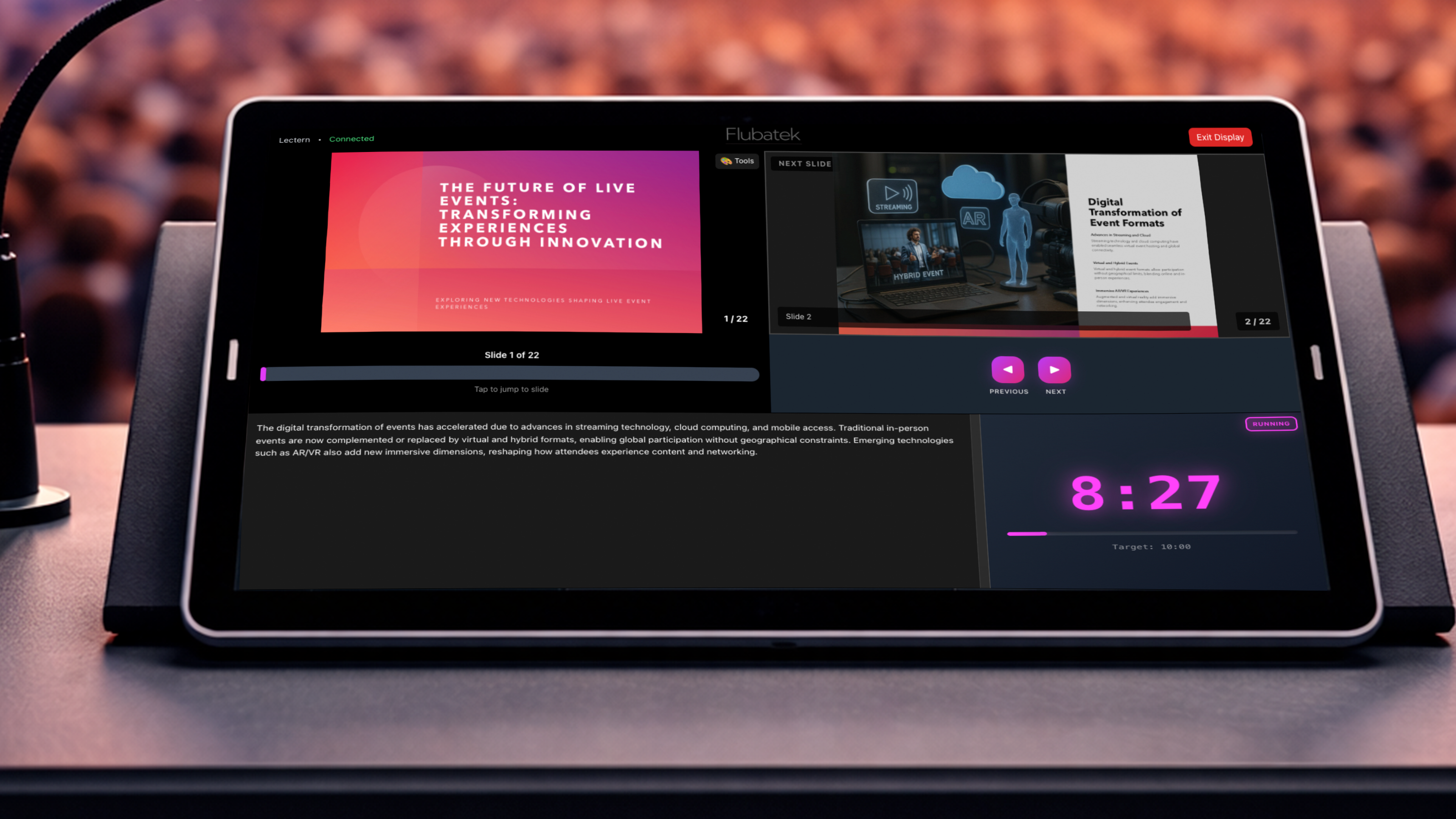
Core Workflow
The presenter display workflow, cleaned up for modern show teams.
Stage View keeps presenter confidence, operator clarity, and room-wide timing in one place so the stage experience feels calm and deliberate instead of improvised.
Flexible layouts across multiple devices
Build layouts for lecterns, foldback displays, confidence monitors, and operator screens. Switch views live with clear preview before they hit the stage.
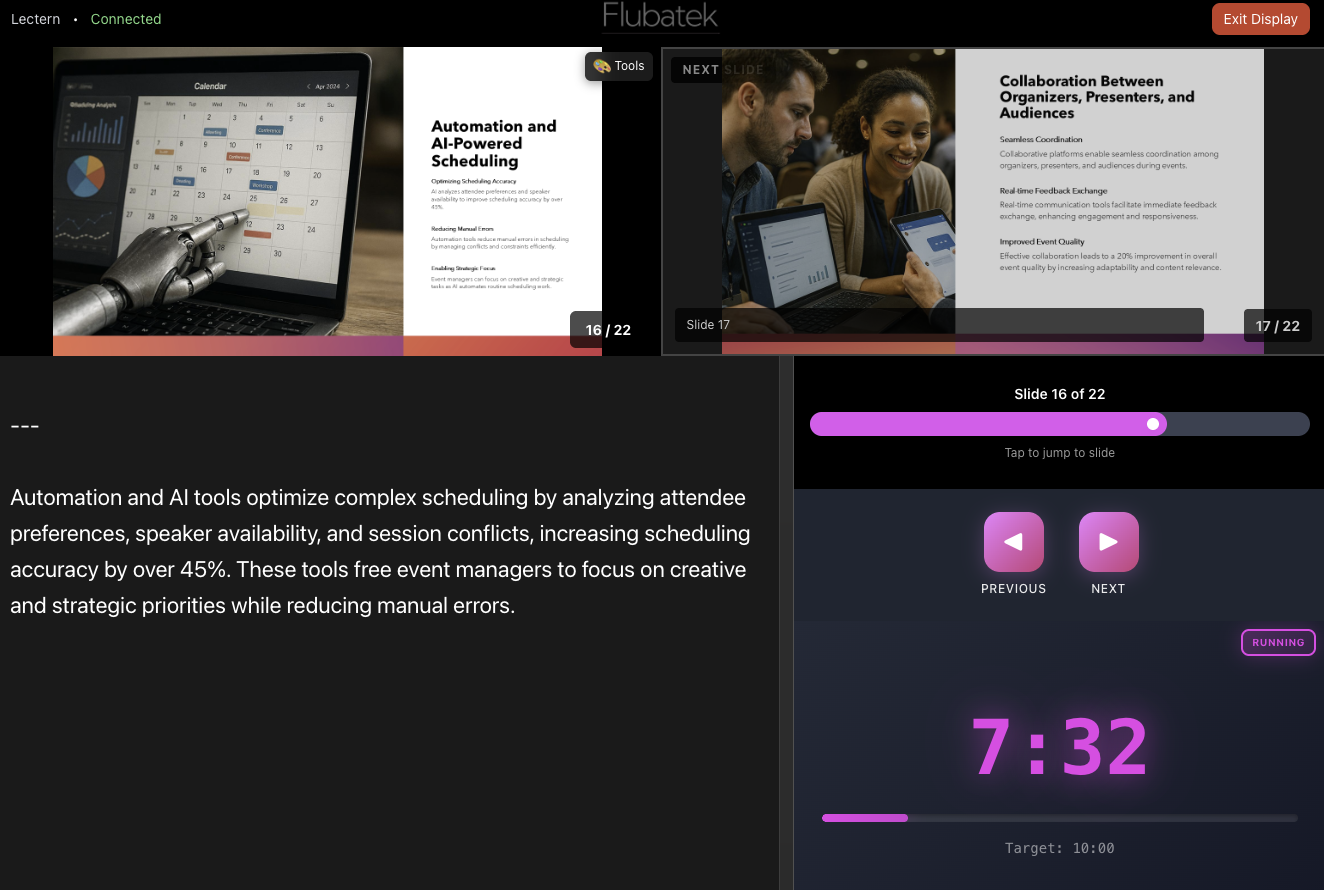
PowerPoint add-on with slides, notes, and just-enough control
Keep current and next slides, presenter notes, and presentation control in one place so the operator and presenter see the same thing.
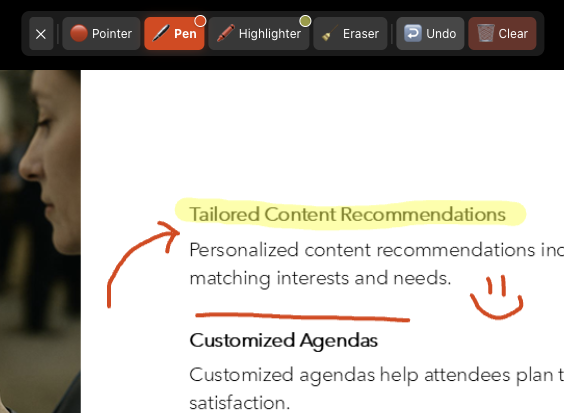
Presenter tools that work on LED, projection, and mixed rooms
Laser and drawing tools stay visible where traditional presenter hardware often falls short, especially on LED walls and complex dual-screen setups.
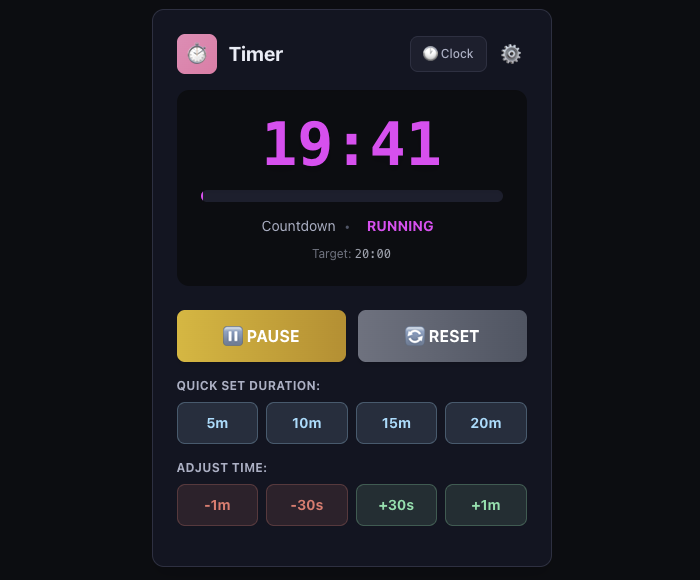
Integrated countdown timing
Give presenters and operators a shared sense of timing without adding another disconnected tool to the stage setup.
Live operator messaging
Push quick updates to stage displays when timing changes, sessions run long, or a presenter needs a discreet prompt.
Operator View
Built for the operator desk as much as the presenter.
Stage View gives the technical team a real command surface for the live room: preview every screen, route layouts cleanly, and keep presenters on time without breaking the flow.
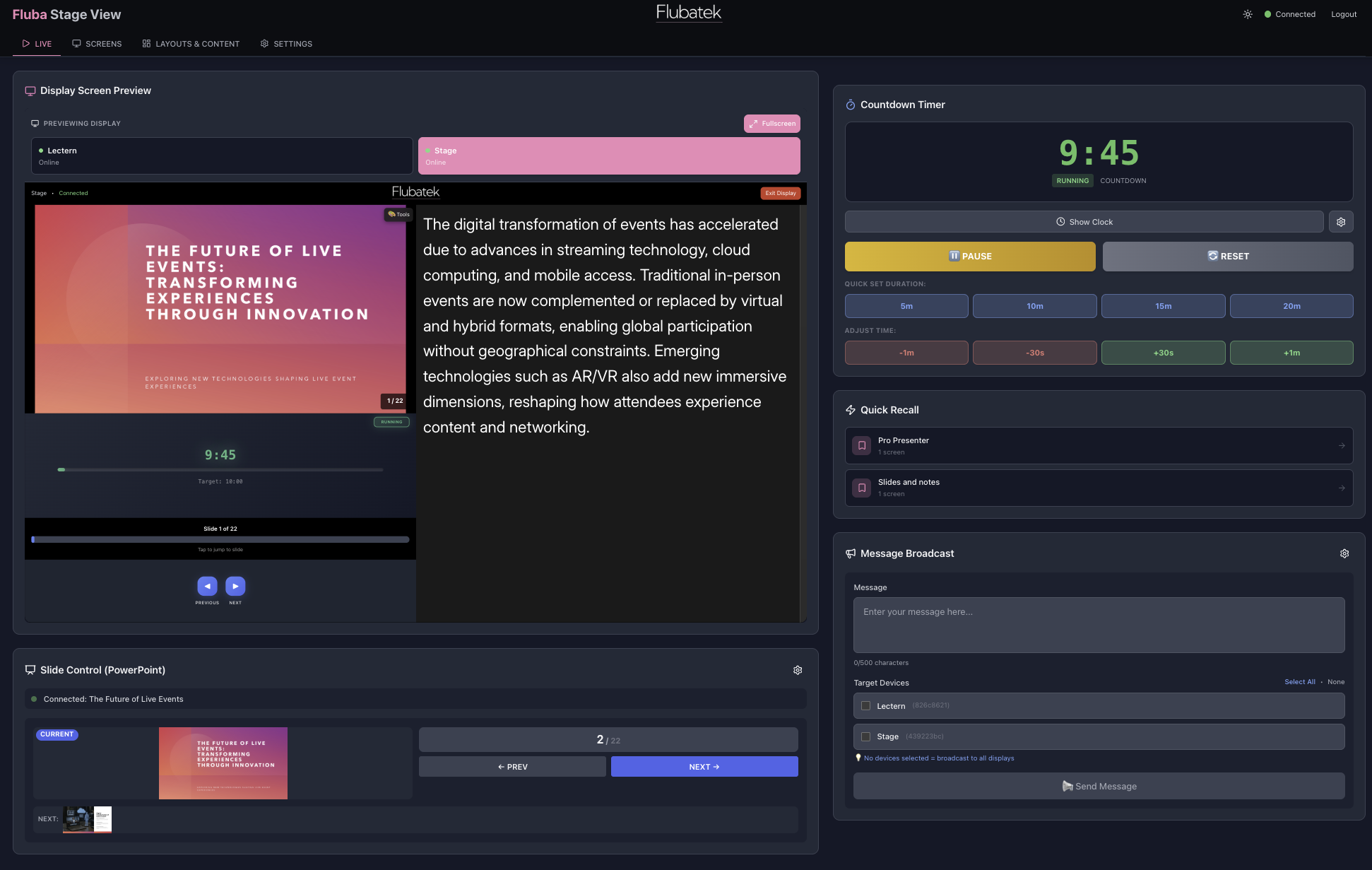
Live control for active rooms
Preview connected displays, watch timing, send presenter messages, and stay aware of what is actually on stage right now.
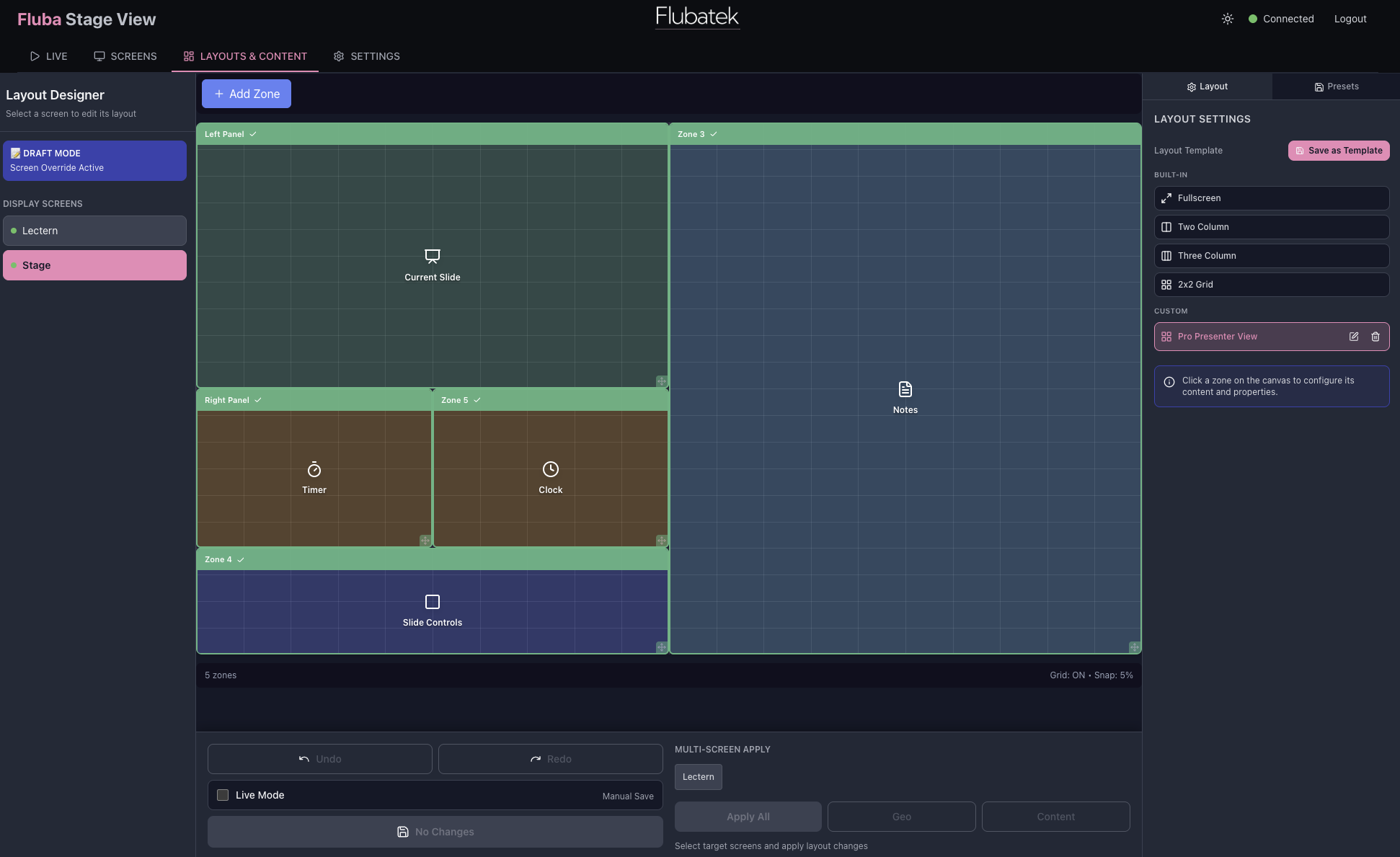
Layout editing and assignment
Assemble slides, notes, timers, images, and browser content into layouts that can be assigned to the right device at the right time.
Beta Access
Register for the Fluba Stage View beta release.
Tell us who you are and what kind of shows you run. For now we're handling beta access directly through support while the self-serve subscription flow is being completed.
- Support is notified at support@flubatek.co.nz as soon as you register.
- We can prioritise organisers, venues, and technical teams with real show use cases.
- You’ll get follow-up from a person, not just a waitlist entry.