
For Conference And Event Organisers
Custom presenter upload pages for conferences.
Collect speaker files, notes, and updates through one branded upload page.
Review submissions, sort files by room and session, and keep operators working from the latest approved version.
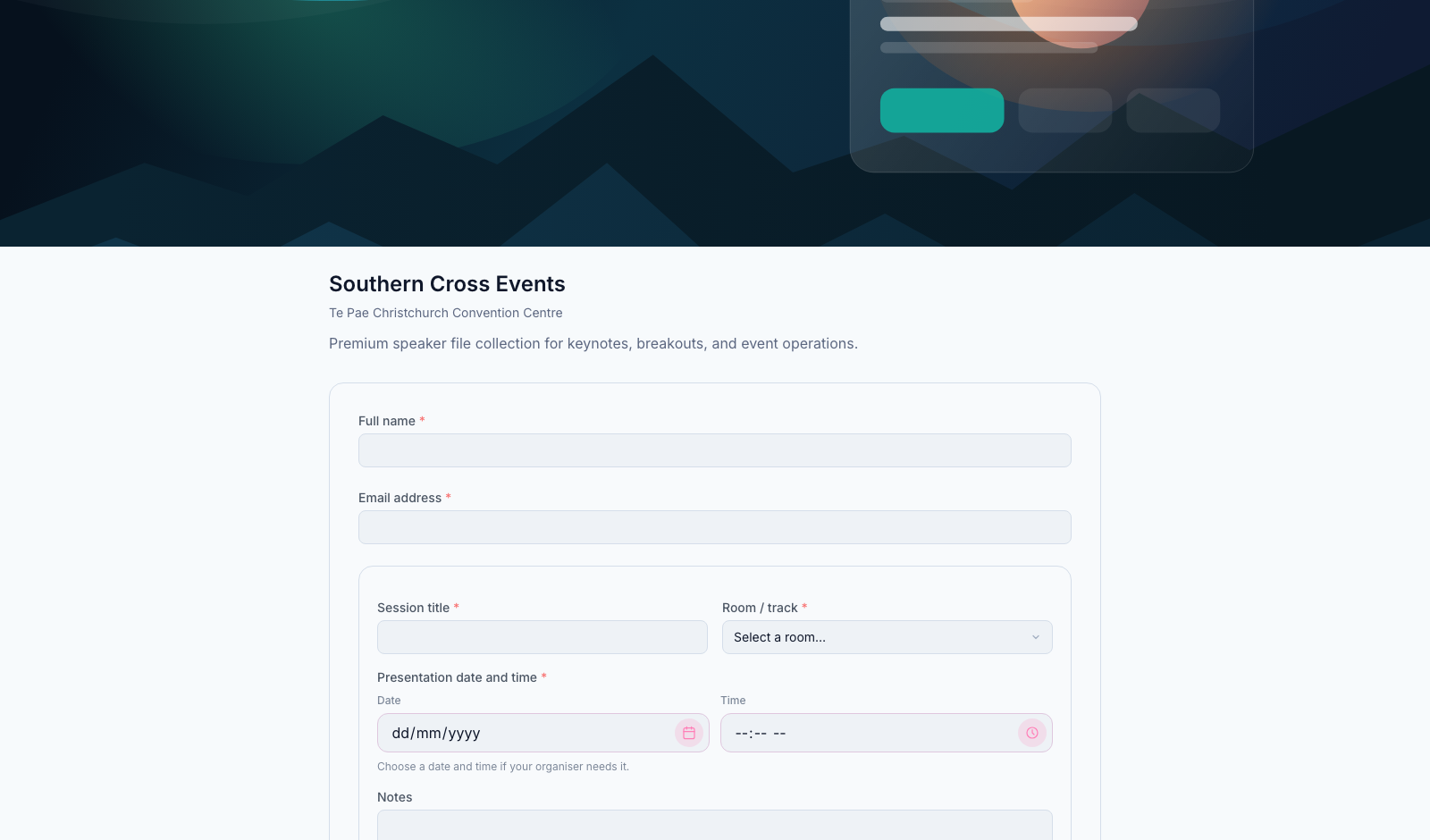
Branded upload pages
Create a custom presenter upload page with your event branding, instructions, and required fields.
File review and sorting
Review incoming submissions, track changes, and sort files by room, session, and running order.
Programme import
Import your programme from a PDF or EventsAir so files can be matched to the live schedule.
From Upload To Show-Ready
A simpler way to manage conference files.
Collect files, review them, sort them, and hand over the latest approved version.
Presenter uploads file
->Speakers use one branded upload page to send files, notes, and contact details.
Organiser reviews submission
->New and changed files are easy to spot, check, and mark for follow-up.
Files are sorted
->Assign each file to the correct room, session, presenter, or support category.
Operator downloads latest files
Room operators can work from the latest approved version, grouped the way the event will run.
Branded Upload Pages
Create a custom upload page for each conference.
Give presenters a simple, branded place to upload their files and provide the details organisers need.
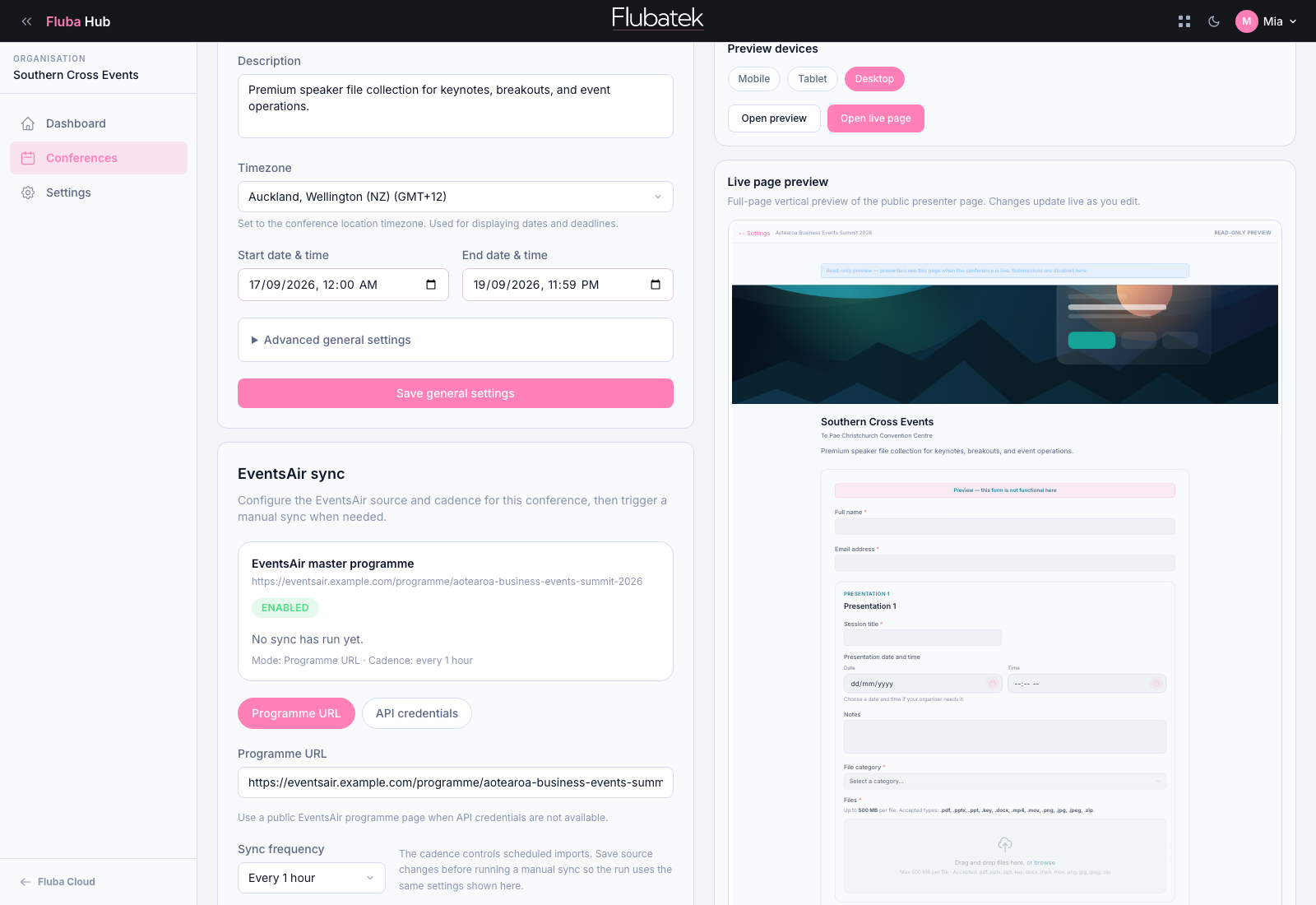
- Add your logo, banner, colours, and instructions
- Create rooms and sessions from a programme PDF or EventsAir export
- Share one upload link with speakers
- Collect files, notes, timing details, and presenter information
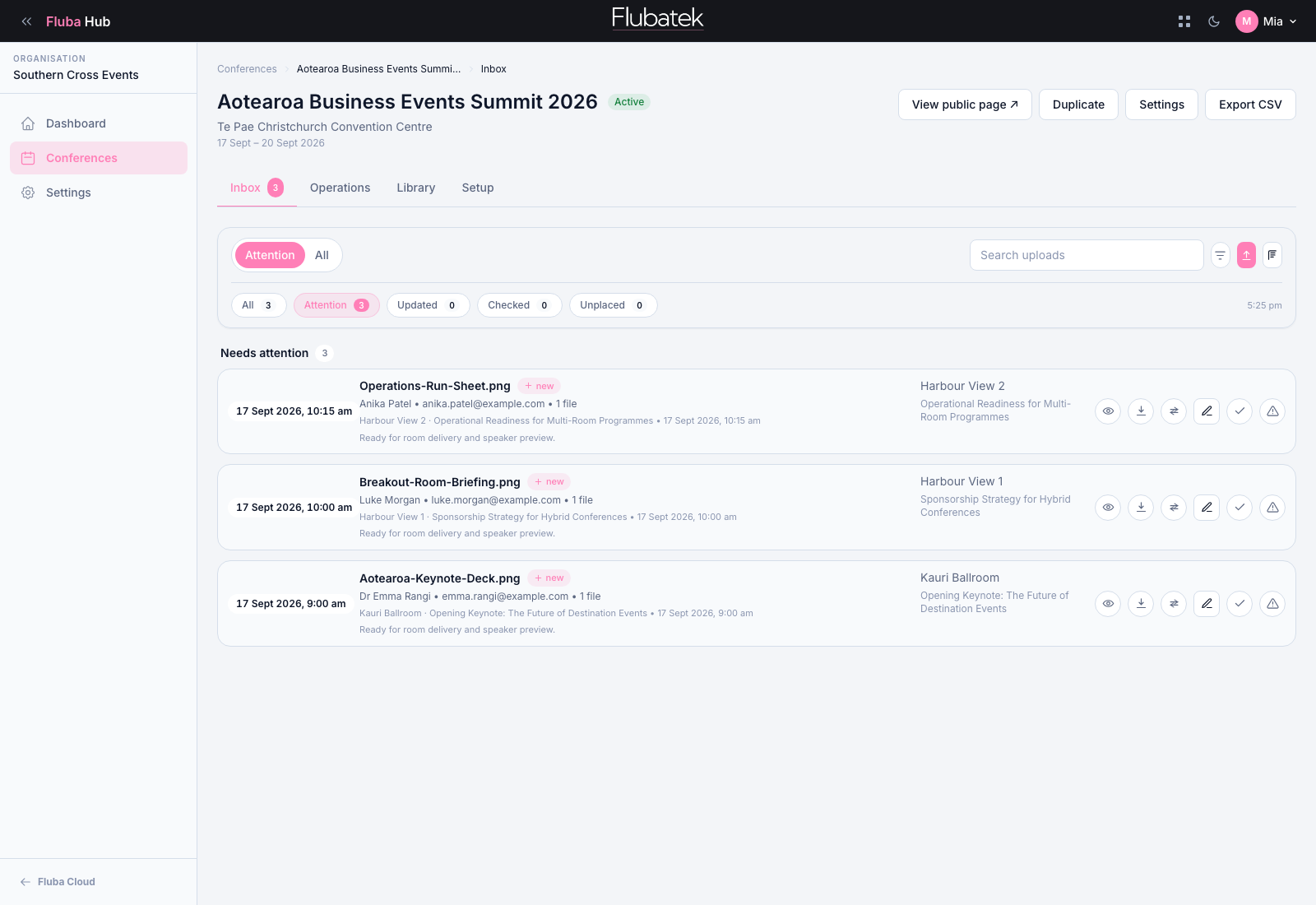
File Management
Manage every submission in one organiser view.
Keep presenter uploads, late changes, manual files, and internal notes together.
- See new, checked, changed, and missing files
- Add review status and internal notes
- Upload files manually when needed
- Keep original filenames for traceability
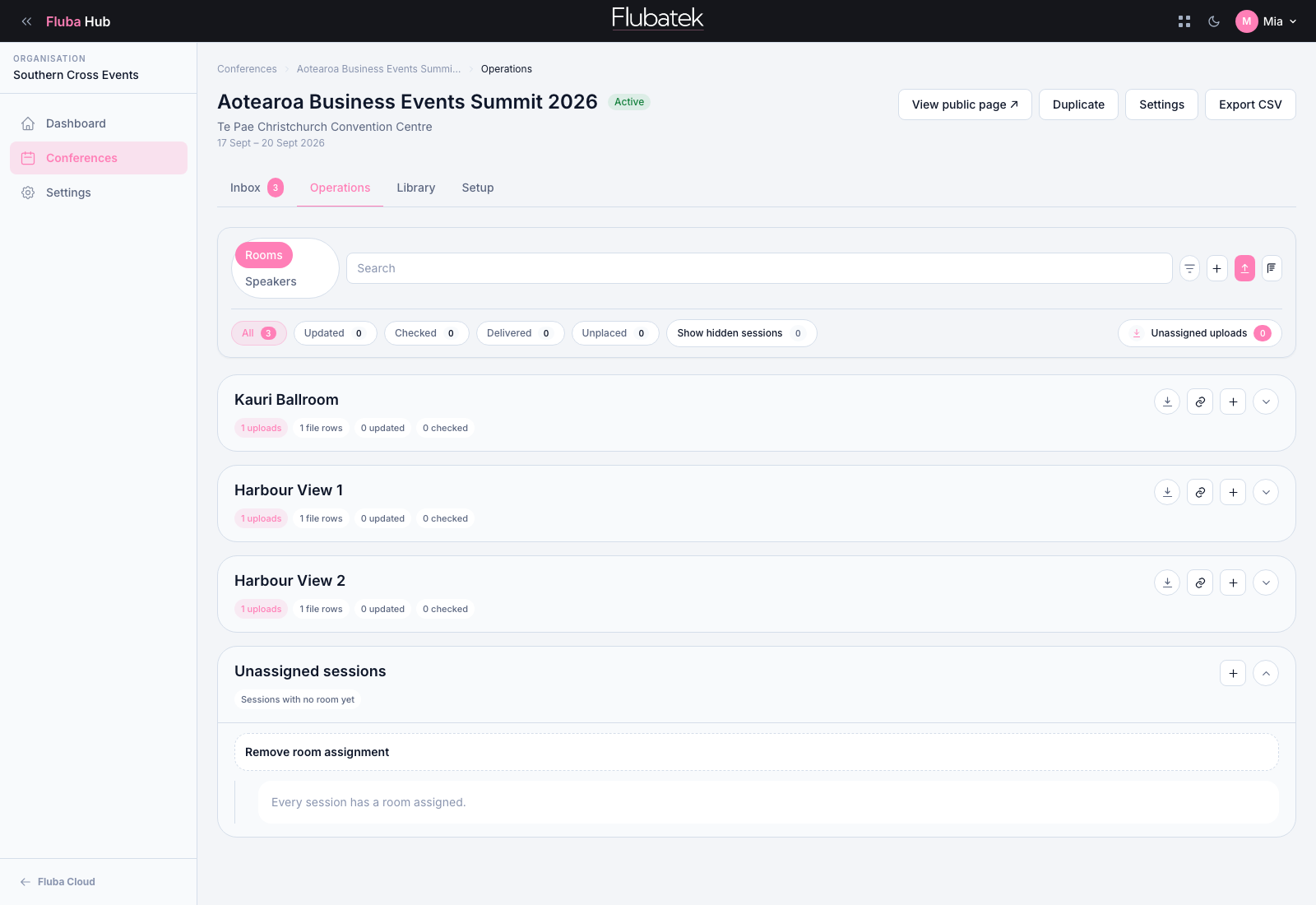
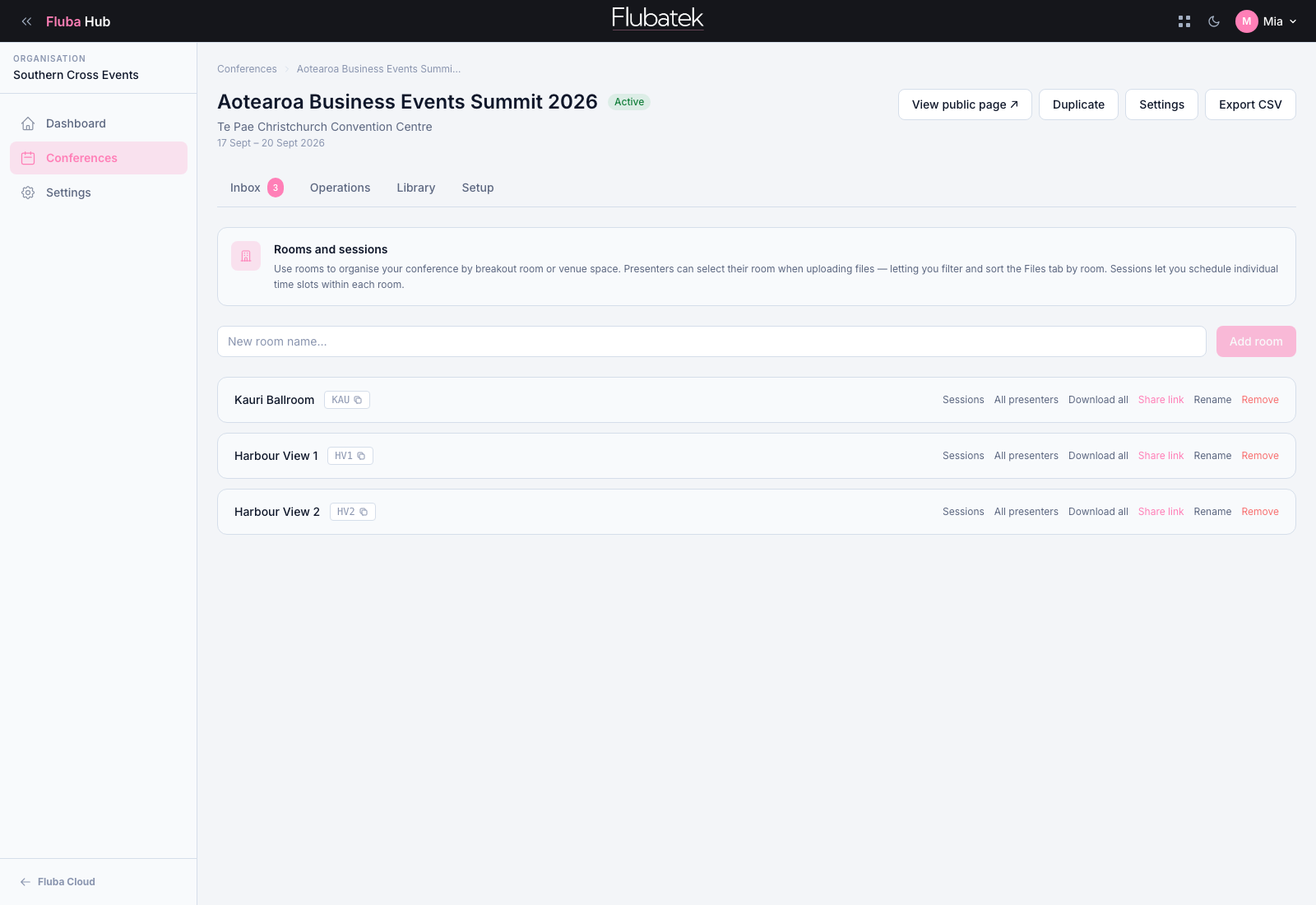
Room + Session Sorting
Sort files the way the conference will run.
Prepare files by room, session, presenter, and running order before they reach the operator.
- Assign files to rooms and sessions
- Group files by running order
- Create room-ready download packs
- Keep sponsor loops, holding slides, and support files with the right room
Pricing
Start with one event or manage conferences all year.
Choose a one-off event plan or a monthly plan for ongoing conference file management.
Hub · 1 Off Event
$350
For a single conference that needs a branded upload page and file management.
- Active events
- 1
- Storage
- 1 GB
- Branding
- Custom conference pages
Hub · Premium
$500
For organisers managing multiple conferences or regular event programmes.
- Active events
- 3
- Storage
- 2 GB
- Branding
- Custom conference pages
Ready To Launch
Collect conference files the easier way.
Create a branded upload page, collect speaker files, and keep everything sorted before show day.